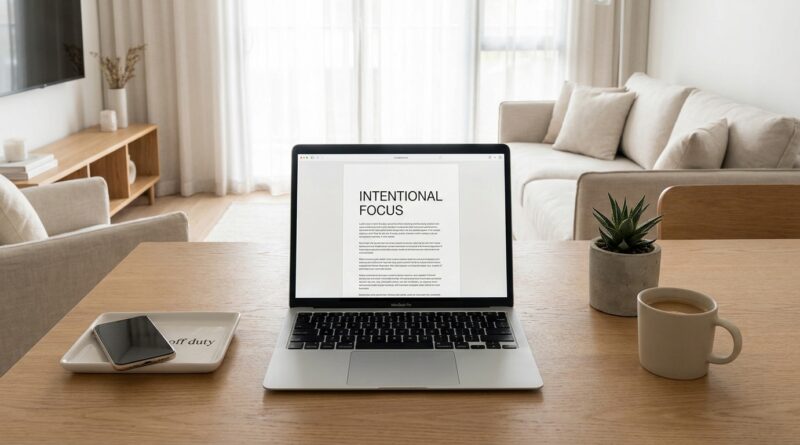
The 5-Pillar One-Device Day: A Minimalist Way To Get More Done By Taming Your Screens, Not Your Life
You know the feeling. You answer a message on your phone, open your laptop to finish one task, grab your tablet to look something up, then end up half-watching TV while “catching up” on everything else. By the end of the day, you were busy the whole time, but the one thing that actually mattered barely moved. That is not a discipline problem. It is a device problem. More specifically, it is the hidden cost of switching between screens all day. A minimalist one device productivity system is a simple way to fight back. You pick one main device for the day and let the others step aside unless there is a real need. That small rule cuts noise fast. It lowers the number of choices you make, reduces context switching, and gives your brain a fair shot at staying on one track long enough to do meaningful work.
⚡ In a Hurry? Key Takeaways
- A one-device day means choosing one primary screen for most of your work so your attention is not pulled apart all day.
- Start with one day a week, silence non-essential notifications, and keep your backup devices out of reach, not just out of sight.
- This is not a digital detox or a vow to stop using tech. It is a low-stress way to use the tech you already own with less friction.
Why using more devices often gets less done
We tend to think each device has a job. Phone for messages. Laptop for work. Tablet for reading. TV for unwinding. That sounds tidy on paper.
In real life, those lines blur. Your phone becomes a work device. Your laptop becomes an entertainment device. Your tablet becomes a shopping device. Your TV becomes a second screen while you scroll on your phone.
Every jump between devices asks your brain to reload. Different apps. Different logins. Different notifications. Different temptations. It is not just time you lose. It is momentum.
That is why a minimalist one device productivity system works. It removes a layer of mental clutter before you even start your day.
The 5 pillars of a one-device day
1. Pick one primary device on purpose
Choose the device that best fits your most important work for that day. For many people, that will be a laptop. For some, it may be a phone if the day is mostly calls, errands, and messaging. The point is not to choose the “best” device forever. It is to choose the right one for today.
Ask one question in the morning. “What device can handle 80 percent of what I need without making me switch?” Start there.
2. Give every other screen a limited role
Your other devices are not banned. They are on a short leash.
For example, your phone can be for calls and two check-in windows. Your TV can be for one evening show after your important work is done. Your tablet can stay docked unless you truly need it for reading or signing something.
This matters because vague rules fail. Clear rules stick.
3. Cut the notification drip
Most people do not get pulled off track by one huge interruption. They get worn down by thirty tiny ones.
Turn off badges and sounds for anything that is not urgent. Keep calls from key people on if needed. Everything else can wait. If you are serious about focus, your lock screen should not look like a slot machine.
4. Batch the tasks that tempt you to switch
There are certain jobs that make people bounce between devices. Two-factor logins. Messaging. Reading links. Watching a quick tutorial. Move those into short blocks instead of dealing with them one by one all day.
Say you are working on your laptop. Instead of checking your phone every six minutes, do a 10-minute phone pass at noon and another at 4 p.m. Small change. Big difference.
5. End the day with a reset, not a collapse
A one-device day works better when it has a finish line. Close tabs. Write down what is next. Put the primary device away when your work block ends.
This is also where a lot of people discover they do not need one more app to fix their habits. They need fewer inputs. If that idea clicks with you, The 5‑Pillar Offline-First Day: A Minimalist Way To Get More Done Without Adding Another App is a smart next read.
How to try it without making your life harder
Start with a “good enough” day
Do not begin on your most chaotic day of the month. Pick a normal workday or a Saturday when you still have things to do. You are running an experiment, not taking an oath.
Make your primary device easier to use
If your laptop is the chosen device, plug it in, clear the desktop, sign into what you need, and keep the charger nearby. If your phone is the chosen device, put only essential apps on the first screen and remove the rest from easy reach.
The less friction your main device has, the less likely you are to wander off to another one.
Physically separate the backup devices
This sounds almost too simple, but it works. Put the tablet in a drawer. Leave the TV off. Charge the phone across the room if it is not your main device.
Out of reach beats out of sight. If it takes effort to grab another screen, you will think twice before doing it.
What this looks like in real life
Let’s say your main goal is to finish a proposal, pay two bills, and reply to a few important messages.
Your one-device day might look like this:
- Laptop is the primary device from 9 a.m. to 5 p.m.
- Phone stays on silent except for family and work calls.
- Messages get checked at lunch and late afternoon.
- No tablet at all unless you need a specific document.
- TV stays off until the evening.
Notice what is missing. Constant negotiation. You are not asking yourself every 10 minutes which screen to use next. That saves more energy than most people expect.
Common worries, answered
“What if I miss something important?”
Then build a safety valve. Let calls from favorite contacts through. Check messages at set times. Tell coworkers you are focusing and will reply by a certain hour. You do not need full-time interruption to stay responsible.
“My work really does require multiple devices.”
Fair enough. Some jobs do. But even then, one device can still be the hub. The others can be tools you use briefly and intentionally, not places you drift into.
“This sounds too simple to matter.”
Simple is often what matters. A lot of productivity systems collapse because they add too many steps. This one removes steps. That is why people actually stick with it.
Who gets the most from this approach
A one-device day is especially helpful if you:
- work from home and keep bouncing between personal and work screens
- feel mentally tired before lunch without knowing why
- use screens all day but still feel oddly unproductive
- want a calmer routine without deleting half your digital life
It is not about purity. It is about getting your attention back in larger pieces.
At a Glance: Comparison
| Feature/Aspect | Details | Verdict |
|---|---|---|
| Focus | One primary device reduces context switching, scattered tabs, and random app hopping. | Strong win for deep work. |
| Setup effort | Requires basic planning, notification cleanup, and a few clear rules for the day. | Easy to start with no extra cost. |
| Flexibility | Works best as a flexible experiment, not a rigid all-or-nothing rule. | Most useful when adapted to your real life. |
Conclusion
Right now people are not just drowning in information. They are drowning in devices. That is why the smarter productivity trend is not a full digital detox. It is intentional constraint. Use less, but use it better. A one-device day is a powerful, low-friction experiment for anyone who wants to cut cognitive overload, reduce decision fatigue, and reclaim deep focus without rebuilding their whole setup or buying anything new. If your days have started to feel like one long shuffle between screens, this is a practical place to start. Pick one device tomorrow. Protect it for what matters. Then see how much calmer your brain feels by dinner.