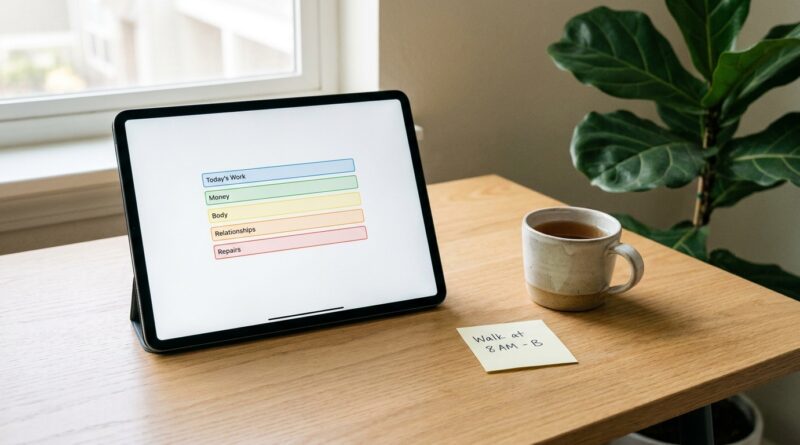
The 5‑Pillar Single‑Screen Day: A Minimalist Way To Run Your Life From One Quiet Dashboard
You are not lazy. Your setup is just loud. If it takes fifteen tabs, four apps, two calendars, a habit tracker, a budgeting tool, and a notes app just to remember what day it is, of course your brain feels cooked by lunch. That constant hopping between screens is not harmless. It chips away at focus, patience, and the small sense that you are actually steering your day. A minimalist single screen productivity system is a simpler answer. Not a full life makeover. Not a fresh stack of apps. Just one quiet dashboard that pulls the most important parts of your day into view so you stop playing digital ping-pong. The idea is to build a front door for your life. When you open your laptop or tablet, you see what matters first. Tasks. Calendar. Money. Health. Capture. Five pillars. One screen. Less mental clutter by tonight, not someday after a heroic weekend of setup.
⚡ In a Hurry? Key Takeaways
- A five-pillar dashboard gives you one home screen for tasks, calendar, money, health, and quick capture.
- Start with tools you already use, then pin only the key views you check every day.
- The goal is not to track everything. It is to cut context switching and make daily decisions easier.
Why one screen feels so much better
Most people do not have a time management problem. They have a fragmentation problem.
Your to-do list lives in one place. Your appointments live in another. Bills are in a finance app. Steps and sleep are on your phone or watch. Random thoughts are stuck in texts, emails, and half-finished notes. Every one of those little jumps asks your brain to reload.
That reload time is the hidden cost.
A minimalist single screen productivity system cuts that cost by giving you one glanceable home base. You still might use several services behind the scenes. That is fine. The trick is that you stop visiting all of them all day long.
What the five pillars actually are
Think of these as the five categories that keep most normal Tuesdays from falling apart.
1. Today
This is your short task list. Not your giant life backlog. Just the handful of things that truly need your attention today.
2. Time
Your calendar, or at least today and tomorrow. If your day has meetings, pickups, deadlines, or calls, you need those visible without hunting for them.
3. Money
Not a full accounting package. Just the numbers that stop you from getting surprised. Current balance, upcoming bills, and maybe this week’s spending snapshot.
4. Health
This is where many systems get too fancy. Keep it light. Sleep, steps, workout, medication, water, or a simple mood check. Pick one or two signals that help you make better choices today.
5. Capture
A fast place to throw ideas, errands, links, reminders, and “don’t forget” thoughts before they vanish. This pillar matters more than people think. It keeps your head clear.
What this is not
It is not a giant command center with twelve widgets and stock tickers.
It is not a life operating system that takes two weeks to build.
And it is definitely not another excuse to spend Saturday reorganizing icons instead of living your life.
The best dashboard is boring in a good way. Quiet. Clear. Easy to trust.
How to build your single-screen setup tonight
You do not need special gear. A laptop, tablet, or even a larger phone can work. The key is to make one screen your default landing place.
Step 1: Pick a host
This could be Notion, Apple Notes with pinned notes, Google Calendar plus a notes pane, Obsidian, Trello, a browser start page, or a simple tablet home screen with widgets. Use what you already understand.
If a tool makes you feel like you need a course before you can use it, skip it.
Step 2: Add only the five pillars
Create one section for each pillar. Keep every section visible without scrolling if possible. If that means fewer details, good. Details are what the source apps are for.
Step 3: Show summaries, not whole systems
For example:
- Tasks: your top 3 to 5 must-dos
- Calendar: today’s events
- Money: checking balance and next two bills
- Health: sleep hours and movement goal
- Capture: one quick note box
Step 4: Remove duplicate views
If your dashboard already shows today’s tasks, you do not need the same list pinned in three other places. Let the dashboard be the first look. Everything else becomes secondary.
Step 5: Check it at set times
Morning. Midday. End of work. That is enough for most people.
If you stare at the dashboard every ten minutes, you have just built a prettier distraction.
A sample layout that works for real life
Here is a simple version.
- Top left: today’s top tasks
- Top right: calendar for today
- Middle left: spending snapshot and upcoming bills
- Middle right: sleep, workout, meds, or step count
- Bottom full width: quick capture box
That is it. No quote of the day. No weather unless weather affects your job. No giant habit grid with 27 empty boxes making you feel bad.
Why this works better than app hopping
Your brain likes stable places.
When the same five categories appear in the same spots every day, it gets easier to orient yourself. You stop asking, “Wait, where do I check that again?” and start asking, “What needs my attention now?” That is a much calmer question.
This is also why pairing this dashboard with a quieter morning helps. If you want a good companion read, The 5‑Pillar Offline-First Morning: A Minimalist Way To Get More Done Before Your Phone Wakes Up fits nicely here. The morning piece helps you protect your first hour. The single-screen setup helps you protect the rest of the day.
Common mistakes that make dashboards fail
Trying to replace every app
You do not need to move your whole life into one tool. Your dashboard is the front door, not the whole house.
Tracking too much
If you monitor ten health metrics, six budget categories, and thirty tasks at once, the dashboard becomes another stress source. Trim it.
Making it pretty before making it useful
Nice design is fine. But function first. If it loads slowly, hides key info, or requires too many clicks, it is not helping.
Using live feeds for everything
Real-time updates sound nice until they become real-time interruptions. Static snapshots are often better for focus.
Best tools for a minimalist single screen productivity system
You have options, and none of them are magic.
For people who want simple
Google Calendar plus Google Keep or Apple Notes is enough for many households.
For people who want flexible
Notion, Obsidian, or Anytype can create a custom home page with sections for each pillar.
For people who live on tablets
Use widgets. Calendar, reminders, notes, and a health widget can get surprisingly close to the five-pillar setup without extra software.
For shared family life
Use a shared calendar and shared grocery or task list, but keep your personal dashboard as the place where those items appear together.
How to keep it from turning into another chore
Give yourself one weekly reset. Ten minutes is enough.
- Clear finished tasks
- Update upcoming bills
- Refresh your top priorities
- Archive old notes from capture
- Remove anything you never look at
If a pillar stops being useful, change it. Maybe “health” becomes “family.” Maybe “money” becomes “admin.” The five-pillar idea is a framework, not a religion.
Who this works best for
This setup is especially good for people who work hybrid, manage family logistics, use different apps because coworkers or partners prefer different tools, or feel worn down by constant digital noise.
It also works well if you are curious about productivity systems but allergic to productivity culture. You do not need to become a tracking enthusiast. You just need a calmer first screen.
At a Glance: Comparison
| Feature/Aspect | Details | Verdict |
|---|---|---|
| Setup effort | Usually 30 to 60 minutes if you use apps you already know and only surface key views | Low enough to start tonight |
| Daily usefulness | Cuts app switching by putting tasks, schedule, money, health, and capture in one glance | High value for busy, distracted days |
| Long-term sustainability | Works best when kept minimal and reviewed weekly instead of endlessly customized | Very sustainable if you resist feature creep |
Conclusion
The real problem for many people right now is not a shortage of tools. It is the mental static caused by bouncing between too many of them. A five-pillar single-screen day gives you a realistic way to pull the important pieces together without deleting every app you already use or signing up for a whole new lifestyle. It fits modern life as it is, with hybrid work, shared calendars, health apps, banking apps, and random AI prompts floating around. You are simply putting a calmer front door in front of all that noise. If your current setup feels like a dozen open loops, this is a practical reset. Keep it small. Keep it visible. And make your first screen the one that helps you think, not the one that asks the most from you.