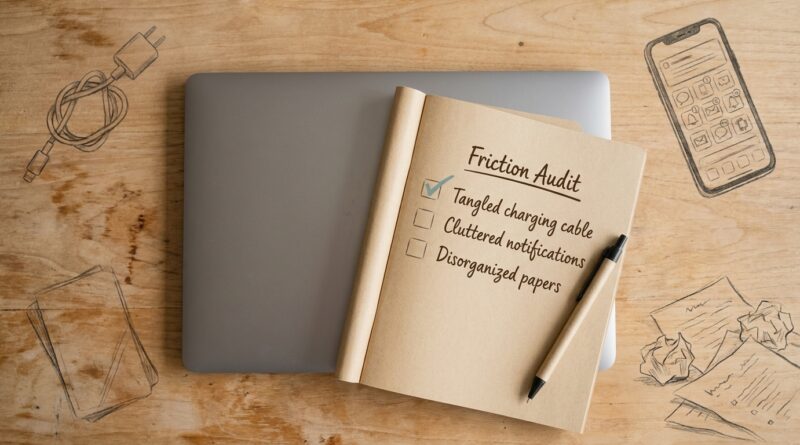
The 5‑Pillar Micro‑Friction Audit: A Minimalist Way To Fix Your Day Without Reinventing Your Life
You are not lazy. You are probably just getting tripped by tiny annoyances all day long. The tab you can never find. The charger that is always in the other room. The note app, calendar, inbox, and messages all pulling at you before breakfast. That kind of friction does not look dramatic, so it is easy to miss. But it quietly burns through attention, patience, and momentum. Then we blame ourselves and go hunting for a whole new system. New planner. New app. New routine. By midweek, it is already too much. A micro-friction audit is the opposite approach. You keep your life mostly as it is and look for the small things that make every task harder than it needs to be. Fix five or six of those, and your day starts to feel lighter fast. No reinvention required. Just less drag, better flow, and a little more room to think.
⚡ In a Hurry? Key Takeaways
- A minimalist productivity micro friction audit helps you fix the small daily obstacles that drain focus, instead of rebuilding your whole life.
- Check five areas. Capture, calendar, workspace, devices, and transitions. Then remove one annoyance from each.
- This works because it lowers effort at the start of tasks, which is often where burnout and procrastination begin.
Why big resets fail so often
Most productivity makeovers ask too much at once. They assume your problem is discipline. Usually it is not.
The real issue is often that your day has too many tiny speed bumps. None of them seem worth talking about on their own. Together, they are exhausting. You need to open three apps just to see what matters. You sit down to work and realize your laptop battery is at 9 percent. You finally get focused, then spend ten minutes looking for the file you need.
That is friction. And friction changes behavior.
If starting a task feels messy, your brain will often avoid it. Not because you are weak. Because humans are very good at dodging unnecessary effort.
What a micro-friction audit actually is
A micro-friction audit is a quick scan of your day to spot small points of resistance. Then you remove, reduce, or reroute them.
It is minimalist on purpose. You are not building a new life dashboard. You are not adopting a 17-step morning routine. You are fixing what keeps catching your sleeve on the way through the door.
Think of it like tuning a bike instead of buying a new one.
The 5 pillars of the audit
1. Capture friction
This is about what happens when you need to remember something.
If your thoughts go into sticky notes, texts to yourself, half-finished emails, and random screenshots, your brain never trusts the system. It stays slightly alert all day, because it knows things are falling through cracks.
Ask yourself:
- Where do new tasks and ideas go first?
- Do I have one default place to capture them?
- How many taps does it take to add something?
Simple fixes:
- Pick one main inbox for tasks and ideas.
- Put that app or note in your phone dock.
- Keep a paper pad in the same spot every day if that is faster.
If your task list is currently spread all over the place, this pairs nicely with The 5‑Pillar One‑List System: A Minimalist Way To Stop Drowning In Tasks And Still Move What Matters. The point is not to get fancy. It is to make remembering easier than forgetting.
2. Calendar friction
This is the drag caused by not knowing when things happen, how long they take, or what your day is actually for.
A lot of people are not overwhelmed by work itself. They are overwhelmed by the constant need to re-decide their priorities.
Ask yourself:
- Can I see today in under five seconds?
- Do meetings leave enough room to reset and move?
- Do important tasks have a real place on the calendar, or just good intentions?
Simple fixes:
- Add 10-minute buffers after meetings when possible.
- Make one block each day called “next important thing.”
- Use one calendar view you trust instead of checking three places.
The goal is clarity, not color-coded perfection.
3. Workspace friction
This pillar covers the physical and visual annoyances that make work feel heavier.
Your desk does not need to look like a magazine spread. It just should not fight you.
Ask yourself:
- What do I reach for every day?
- What is always missing, dead, buried, or tangled?
- What in my line of sight keeps stealing attention?
Simple fixes:
- Keep charger, headphones, notebook, and water in fixed spots.
- Remove items that do not belong to the task in front of you.
- Put frequently used tools within arm’s reach.
One cable that always disappears can waste more energy than one more app ever saves.
4. Device friction
This is the digital version of a squeaky door. Slow logins. Endless notifications. Files with names like “final_v2_realfinal.”
Computers and phones are supposed to remove effort. Often they add it.
Ask yourself:
- What on my devices interrupts me most often?
- What takes too many steps to open or use?
- What repeats every day that could be simplified once?
Simple fixes:
- Turn off notifications that are not truly time-sensitive.
- Pin your most-used tools.
- Clean up your desktop and downloads folder for five minutes.
- Use templates for repeat emails or notes.
You do not need an AI workflow for everything. Sometimes the smartest upgrade is muting the five apps that keep shouting at you.
5. Transition friction
This is the most overlooked pillar. It covers the handoff moments between tasks, roles, and places.
Starting work after school drop-off. Moving from a meeting into deep work. Shifting from office brain to home brain. These are exactly where many days wobble.
Ask yourself:
- Where do I usually lose momentum?
- What task do I avoid because getting started feels annoying?
- What small ritual could make the next step obvious?
Simple fixes:
- End each work block by setting up the first step of the next one.
- Keep a short shutdown checklist.
- Create one repeatable start cue, like tea, timer, or a cleared desk.
Transitions matter because a lot of procrastination is really setup resistance.
How to run your audit in 15 minutes
You do not need a retreat weekend for this. Try this instead.
Step 1: Notice one annoying day
Pick a normal weekday. Keep a small note open. Every time something feels weirdly harder than it should, write it down.
Examples:
- Could not find meeting link.
- Opened inbox and forgot what I meant to do.
- Had to move laundry before I could sit down and work.
- Spent eight minutes deciding where to write a task.
Step 2: Sort each annoyance into a pillar
Capture, calendar, workspace, devices, or transitions. You will usually start seeing patterns very quickly.
Step 3: Fix the easiest high-impact thing first
Not the most impressive fix. The easiest one that removes repeat friction.
For example:
- Put your task app on the first screen.
- Pre-pack your bag by the door.
- Rename a recurring meeting with the actual purpose.
- Charge your laptop in the same place every night.
Step 4: Stop at five fixes
This matters. If you turn the audit into a full self-improvement project, you will recreate the same overload you were trying to escape.
What good results look like
You may not feel suddenly transformed. That is okay. The win is quieter than that.
You start work with less groaning. You lose fewer minutes to setup. Your brain trusts your environment a little more. The day has fewer false starts.
This is the kind of improvement that compounds because it repeats. Saving three minutes ten times a day is not just 30 minutes. It is also less frustration, fewer dropped threads, and a better chance of finishing what matters.
Common mistakes to avoid
Trying to optimize everything
The audit is for friction, not perfection. If something is slightly ugly but works fine, leave it alone.
Buying your way out too fast
Sometimes the answer is a second charger or a better chair. Often it is just putting things where they belong.
Confusing novelty with progress
A new system feels exciting. Removing one repeat annoyance feels boring. Boring is often what works.
Who this works for
Pretty much anyone with a crowded day.
Parents can smooth morning transitions. Students can reduce study setup friction. Founders can cut digital clutter. Employees can stop using their inbox as a to-do list and make the day less jumpy.
The beauty of a minimalist productivity micro friction audit is that it bends to your life instead of demanding a new one.
At a Glance: Comparison
| Feature/Aspect | Details | Verdict |
|---|---|---|
| Time to start | A micro-friction audit can begin in one normal day with a simple running note. | Fast and realistic |
| Tool overload | You keep your current tools and remove drag before adding anything new. | Best for already overloaded people |
| Long-term value | Small fixes repeat daily, which can improve focus, energy, and follow-through over time. | Quiet but powerful |
Conclusion
You do not need a dramatic reset to feel better about your day. You probably need fewer tiny things getting in your way. That is why a friction-first approach feels so sane right now. The loud trend is giant personal operating systems and AI-heavy workflows, but many people are already full. Full of tools, tips, tabs, and guilt. A simple audit gives you something more humane. Keep your setup. Keep what already works. Just make it glide a little better. That is the real promise of minimalist impact. Less drag, more clarity, and a day that asks a little less from you before lunch. Whether you are a parent, founder, student, or employee, you can start this before tomorrow’s calendar hits.