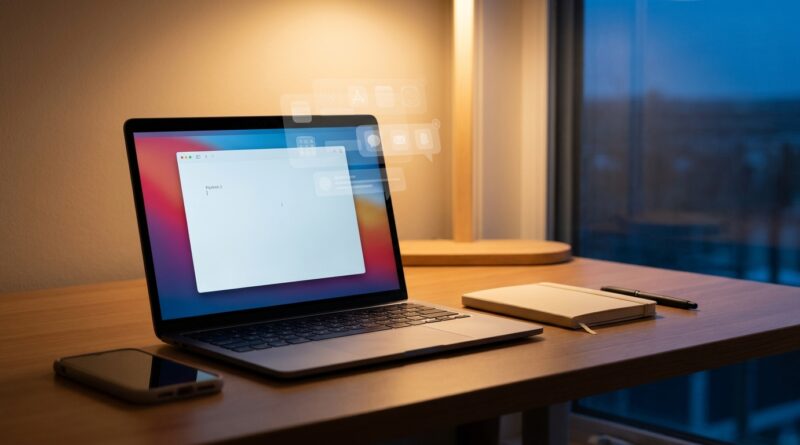
The 5-Pillar Digital Declutter Sprint: A Minimalist Way To Clear Screen Noise Without Deleting Your Life
You are probably not failing at focus. You are getting pecked to death by little digital messes. Fifteen open tabs. A desktop full of screenshots. Notifications that act like every message is a fire. An inbox that has quietly turned into attic storage. It is exhausting, and it can make even simple work feel heavier than it is.
The good news is you do not need a full tech detox or a color coded folder system to feel better. A smart digital declutter minimalist productivity reset can be small, practical, and done in short bursts. Think of this as a five-pillar sprint, not a lifestyle makeover. The goal is not to delete your digital life. It is to lower the noise so your screen stops arguing with you every time you sit down. In less time than a long lunch, you can make your devices calmer, clearer, and much easier to use.
⚡ In a Hurry? Key Takeaways
- Digital clutter usually comes from five places: tabs, notifications, files, apps, and inboxes. Fix those first.
- Use a 30 to 45 minute sprint. Close, mute, move, and archive before you try to organize anything deeply.
- You do not need to delete your memories, work, or favorite apps. The aim is less screen noise, not a digital purge.
Why digital clutter feels so draining
Physical clutter is annoying. Digital clutter is sneakier. It follows you to work, to the couch, and into bed.
Every badge count, open tab, and random file name asks your brain a tiny question. Do you need this? Should you reply? Is this urgent? Multiply that by a few hundred and your attention is gone before the real task even starts.
That is why minimalist productivity works so well here. Minimalism, in this case, does not mean owning three apps and living like a monk. It means your devices show you less nonsense and more of what matters right now.
The 5-pillar digital declutter sprint
This sprint is built for tired people. No all-day folder overhaul. No guilt. Just five quick passes through the biggest sources of screen noise.
Pillar 1: Tab triage
Tabs are often unpaid mental bills. You keep them open because you are afraid you will forget something. Fair enough. But 27 tabs are not a memory system. They are wallpaper.
Try this:
- Keep only the tabs needed for the task you are doing today.
- For tabs you may need later, save them to a reading list, bookmarks folder, or notes app called “Check Later.”
- If you have not opened a tab in days and do not even remember why it is there, close it.
A helpful rule is 3 plus 3. Keep three work tabs and three personal tabs open at most. Everything else gets saved or closed.
Pillar 2: Notification cleanup
Most notifications are not alerts. They are ads for your attention.
Open your phone and computer settings and ask one question for each app: does this deserve to interrupt me? Most do not.
Start by turning off:
- Shopping app notifications
- Social media likes and follows
- News alerts that are not truly urgent
- Desktop pop-ups from chat tools outside work hours
Keep alerts for things that matter, like calendar reminders, direct messages from key people, security warnings, and delivery or banking notices if you actually need them.
If your room is also adding to the stress, the same idea applies offline. You might like The 5-Pillar Quiet-Workspace Ritual: A Minimalist Way To Get More Done By Fixing The Room, Not Yourself. A calmer desk and a calmer screen work very well together.
Pillar 3: File surface cleanup
You do not need to organize every file you have ever saved. Just clear the visible surfaces.
Focus on the places that jump out at you every day:
- Desktop
- Downloads folder
- Recent screenshots
- Phone camera roll duplicates
Create just three temporary folders:
- Keep
- Archive
- Delete
Move fast. If a file is active, put it in Keep. If it is old but worth saving, put it in Archive. If it is junk, delete it.
This is important. Do not stop to rename everything. Do not build the perfect folder tree. Surface cleanup first. Deep organizing later, if ever.
Pillar 4: App home-screen reset
Your home screen is your digital front door. If it looks like a discount electronics bin, your brain feels that.
Put your most useful apps on the first screen. Usually that means phone, messages, calendar, maps, camera, notes, and maybe music. Everything else can move to page two, an app library, or a folder.
Remove apps from the home screen if you want less temptation. You do not have to uninstall them. Just make them slightly less visible.
This trick sounds small. It is not. Friction changes habits. If the app is not waving at you, you are less likely to tap it out of reflex.
Pillar 5: Inbox and message control
Email and chat can become digital junk drawers. The fix is not answering everything today. The fix is reducing visual backlog.
For email, try this 10-minute sweep:
- Search and delete obvious junk from stores and newsletters you never read
- Unsubscribe from three senders right away
- Archive anything older that is not urgent and does not need action
- Star or flag only what truly needs a response
For messaging apps, mute noisy group chats that are not time-sensitive. You can still check them later. You just do not need them bursting into your day.
How to do the sprint without getting stuck
The biggest mistake people make is turning a declutter session into a personal improvement project. Suddenly you are redesigning your entire note-taking system at 9:40 p.m. That is not a sprint. That is a trap.
Use this sequence instead:
Set a timer
Give yourself 30 to 45 minutes. A short deadline keeps you from fussing over tiny choices.
Work in order of irritation
Start with the thing that bothers you most. If notifications are driving you nuts, do that first. If your desktop makes you wince, start there.
Reduce before you organize
Closing, muting, archiving, and deleting usually help more than reorganizing. Less stuff beats neatly arranged stuff.
Leave breadcrumbs for later
If you find something you may need, save it into one clear holding place. “Read Later” or “To Sort” is good enough. Perfect labels can wait.
What not to do
A minimalist digital declutter should make your life easier, not more fragile.
- Do not delete important files without a backup.
- Do not unsubscribe from work emails you actually need.
- Do not bury security alerts or two-factor authentication notices.
- Do not aim for inbox zero if it makes you miserable. Aim for inbox calmer.
If you are nervous about deleting anything, archive first. Storage is cheaper than stress.
A simple maintenance routine that actually sticks
Once the sprint is done, keeping it up should be light.
Daily: 3 minutes
- Close unused tabs
- Clear desktop strays
- Mute any new noisy app behavior
Weekly: 10 minutes
- Empty Downloads
- Unsubscribe from one or two junk senders
- Archive old messages and files from the week
Monthly: 20 minutes
- Review home screen apps
- Delete duplicate photos and screenshots
- Check notification settings again, because apps love turning them back on
At a Glance: Comparison
| Feature/Aspect | Details | Verdict |
|---|---|---|
| Time needed | 30 to 45 minutes for the full sprint, then a few minutes a day | Realistic for busy people |
| Level of difficulty | Low to moderate. Mostly simple decisions like close, mute, archive, or move | Easy to start without tech skills |
| Long-term payoff | Less distraction, lower stress, faster task start, and fewer bedtime doom-scroll detours | High value for very little effort |
Conclusion
Digital clutter is quietly killing focus and sleep for a lot of people right now, and most advice either tells you to quit every app or to spend your whole weekend organizing folders. This 5 pillar sprint respects the fact that you are tired and busy, so it gives you a small, winnable reset that immediately reduces overwhelm, cuts noise from your work tools and makes it easier to notice what actually matters on your screen today instead of chasing some perfect future system. Start small. Close a few tabs. Mute a few pings. Clear one messy surface. Your devices do not need to be perfect. They just need to stop shouting.