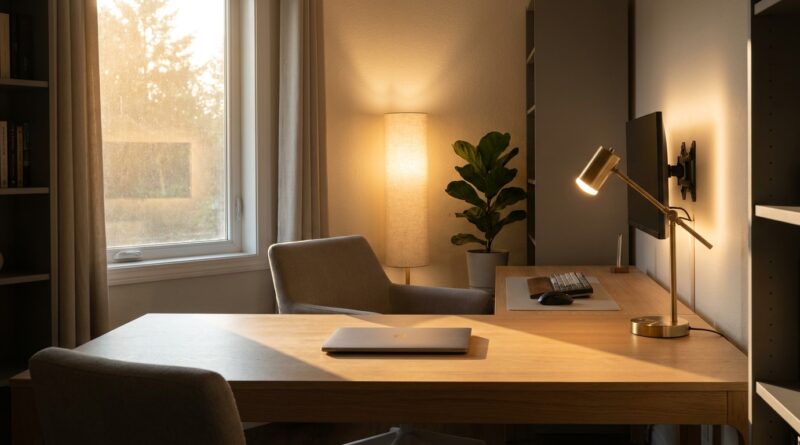
The 5‑Pillar Minimalist Lighting Workday: A Simple Way To Fix Your Focus Without Buying More Gear
You can have a decent chair, a clean desk and a fast laptop, then still feel weirdly cooked by mid-afternoon. A lot of people blame their attention span when the real problem is simpler. The room is too bright in one spot, too dim in another, and your screens are doing all the visual heavy lifting. That kind of setup quietly wears you down. Your eyes keep adjusting. Your shoulders creep up. Your brain starts to feel noisy. The good news is you probably do not need to buy a fancy monitor light bar or redo the whole room. A better answer is minimalist home office lighting for productivity. That means using less glare, softer layers and smarter placement with what you already own. Think of it as a five-part reset you can do in under 20 minutes. Small changes. Fast payoff. Less visual stress, better focus, and a workday that does not feel so loud.
⚡ In a Hurry? Key Takeaways
- Most focus-killing office lighting problems come from glare, harsh overhead light and poor light balance, not from a lack of expensive gear.
- You can improve focus fast by using five simple pillars: reduce glare, layer light, match screen brightness, use warmer light where possible and separate work light from room light.
- Good lighting is not just about comfort. It can reduce eye strain, lower that frazzled feeling and help you work longer without feeling mentally wrung out.
Why your “fine” lighting is probably draining you
Home offices often grow by accident. A desk gets pushed near a wall. A ceiling light does all the work. A lamp gets added later. Then the laptop and monitor settings stay on factory defaults, which are usually much brighter than they need to be indoors.
The result is a room that looks normal but feels tiring. Harsh light from above, bright rectangles in front of you, and shiny surfaces bouncing light back into your eyes. You do not always notice it right away. You just hit that 3 p.m. slump and assume you need coffee or better discipline.
Sometimes you need better lighting more than better habits.
The 5-pillar minimalist lighting workday
This checklist is built for speed. No renovation. No shopping spree. Just a cleaner setup using existing bulbs, lamps and settings.
1. Kill glare first
If there is one thing to fix today, start here. Glare is the visual equivalent of background shouting. It pulls attention even when you think you are ignoring it.
Look for these common glare sources:
- Overhead lights reflecting in your monitor
- A window directly behind you or directly in front of you
- Glossy desk surfaces
- Bare bulbs in your line of sight
Do a 30-second test. Sit in your normal position and look at your screen while it is off or on a dark page. If you can see reflected lights or bright shapes, that is part of the problem.
Quick fixes:
- Turn off the harsh ceiling light if possible
- Rotate the desk or monitor slightly
- Close a blind halfway instead of all the way
- Move a lamp so you do not see the bulb directly
You are not trying to make the room dark. You are trying to make it calm.
2. Layer the light instead of blasting the room
A single bright overhead fixture is great for finding a dropped pen. It is not great for deep work.
Layered lighting works better because your eyes do not have to fight such strong contrast. In plain English, that means using more than one soft light source with different jobs.
A simple minimalist setup looks like this:
- Ambient light. General room light, preferably soft
- Task light. A desk lamp for reading, writing or paperwork
- Screen light balance. Enough room light so your monitor is not the only bright object
If you already have a floor lamp or small table lamp, use it. Put it off to the side or slightly behind your screen area, not shining into your face. This reduces the cave effect where your monitor feels like a floodlight in a dark room.
3. Match your screen brightness to the room
This one gets missed all the time. A monitor that is too bright makes everything else feel dim and stressful. A monitor that is too dim makes you squint and lean in.
Here is the easy rule. Your screen should not look like a car headlight. It should feel comfortable compared to the room around it.
Try this:
- Open a document with a white background
- Lower brightness until it stops feeling intense
- Raise it a little only if text starts looking muddy
Most people can turn brightness down more than they think, especially in the evening.
If your work is very screen-heavy, this matters even more. It pairs nicely with non-screen recovery habits too. If your whole home is starting to feel screen-soaked, the ideas in The 5‑Pillar Analog Corner: A Minimalist Way To Get Deep Focus Back In A Screen‑Soaked Home can help create a better visual break after work.
4. Warm up the room light when you can
Not every bulb needs to look like a sunset. But many home offices are using light that feels cold, sharp and slightly clinical. That can be useful in some settings. It can also make a long workday feel harsher than it needs to.
Softer, warmer room lighting often feels easier on the eyes, especially for afternoon work. If you have multiple lamps, try using the warmer bulb in the lamp handling ambient light and save the cooler light for detail tasks if needed.
You do not need to obsess over bulb numbers. Just notice how the room feels. If the space feels stark and your eyes feel tired, warmer ambient light is usually worth trying.
5. Separate work light from room light
This is the pillar that makes the whole setup feel intentional. Your room light should make the space feel balanced. Your task light should help you do specific things. They do not have to be the same light.
For example:
- Use a soft lamp for the room
- Use a desk lamp only when reading notes or using paper
- Keep the task lamp angled downward, not at your eyes or screen
This helps your brain read the room better. General calm in the background. Clear visibility where you need it. Less visual confusion overall.
A 20-minute reset you can do right now
If you want the shortest possible version, do this in order:
- Turn off the overhead light and see if the room instantly feels better
- Move one lamp to the side of your desk for softer ambient light
- Lower your screen brightness by 15 to 30 percent
- Check for reflections on your monitor and adjust angle or blinds
- Turn on a task lamp only if you are reading paper or writing by hand
That is it. No app. No gadget. No new productivity system to maintain.
Common mistakes people make with home office lighting
Making the room too dark
Some people get rid of glare by creating a cave. Then the screen becomes the brightest thing in the room, which is a different kind of strain. You want lower contrast, not total darkness.
Putting a lamp behind the monitor
Sometimes this works, sometimes it creates a bright halo or odd reflection. Test it. If your eyes keep noticing the light source, move it.
Using one lighting mode all day
Morning, noon and evening are not the same. Natural light changes. Your fatigue changes. What felt good at 9 a.m. might feel too bright at 4 p.m. Adjust as you go.
Ignoring paper tasks
If you switch between screen work and printed notes, your lighting needs change. A desk lamp aimed at paper can reduce that constant visual jump between bright screen and dim notebook.
How to tell if your new setup is actually working
You do not need a light meter. Pay attention to a few simple signals:
- You stop squinting or rubbing your eyes as much
- Your shoulders feel less tense by afternoon
- Your screen feels easier to look at for longer stretches
- You feel less “fried” after meetings or writing sessions
- You can work in silence without the room feeling visually noisy
That last one matters. Focus is not just about apps and routines. It is also about whether the room keeps poking at your nervous system all day.
At a Glance: Comparison
| Feature/Aspect | Details | Verdict |
|---|---|---|
| Overhead-only lighting | Bright, flat and more likely to create glare on screens and visual fatigue | Good for general visibility, poor for long focus sessions |
| Layered ambient plus task light | Softer room balance, better screen comfort and light where you need it | Best minimalist home office lighting for productivity |
| Screen brightness tuning | Takes less than a minute and often cuts eye strain fast | Highest-impact fix for zero cost |
Conclusion
A lot of productivity advice skips the most basic part of the workspace. Light. Yet it shapes how hard your eyes work, how tense your body feels and how long your attention can stay steady before everything starts to feel like too much. The shift toward softer ambient setups, low-glare fixtures and layered light is not about aesthetics alone. It helps reduce eye strain, settle your system and keep you in deep work longer without feeling wrecked. The good news is you do not need a renovation budget to get there. With this five-pillar checklist, the 5J community can make a meaningful change in under 20 minutes using the bulbs, lamps and settings already in the house. That is a rare kind of productivity upgrade. Cheap, simple and noticeable by the end of the day.