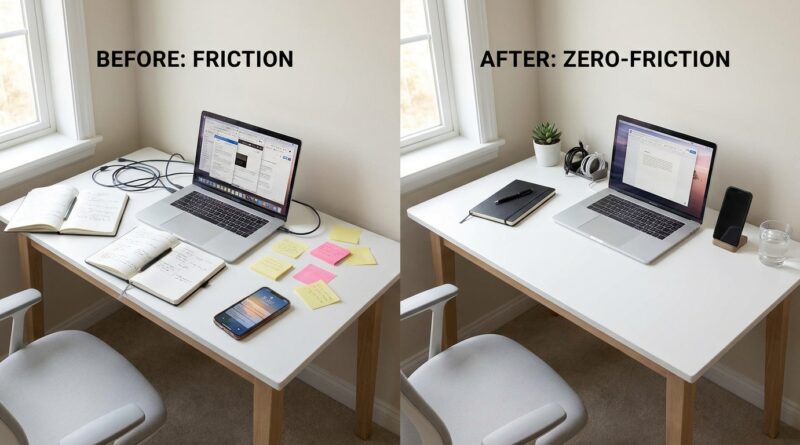
The 5-Pillar Zero-Friction Workday: A Minimalist Way To Get More Done By Fixing Tiny Annoyances, Not Your Whole Life
You sit down to work, and somehow the first 20 minutes vanish. Not because you are lazy. Not because you lack discipline. Usually it is something smaller and much more annoying. Your laptop wakes up slowly. The file you need is buried in a maze of folders. Slack pings. Your browser has 27 tabs open, and one noisy headline steals your attention before you even begin. That kind of friction matters more than most productivity gurus admit. If starting work feels weirdly hard every day, the problem may not be your motivation. It may be your setup. A zero friction minimalist productivity approach starts there. Instead of rebuilding your whole life, you fix the tiny snags that keep interrupting it. The goal is simple. Make the right task easier to start than the wrong one. When that happens, focus stops feeling like a heroic act and starts feeling normal.
⚡ In a Hurry? Key Takeaways
- Most productivity struggles are really friction problems, not character flaws.
- Run a five-pillar audit of your devices, apps, workspace, task list, and interruptions to get quick wins in one day.
- You do not need more tools. In many cases, removing steps, clutter, and noise is the safest way to protect focus.
Why tiny annoyances wreck a whole workday
People often picture productivity as a willpower problem. Wake up earlier. Follow a better system. Download a smarter app. Color-code everything. But most real work gets blocked by tiny bits of drag.
Think about what happens before deep work actually starts. You unlock your computer. Open the right app. Find the file. Clear a popup. Mute a notification. Decide which task matters. Re-read your notes because yesterday ended in a rush.
None of those things looks dramatic. Together, they are exhausting.
This is why a zero friction minimalist productivity method feels different. It respects the fact that your brain pays a tax every time it has to push through a pointless obstacle. Remove enough of those obstacles, and your day gets lighter almost immediately.
The 5-pillar zero-friction workday
Think of this as a short audit, not a life makeover. You are checking where work gets sticky, then sanding down the rough spots.
1. Startup friction
This is the gap between sitting down and actually beginning.
Common examples:
- Your main work app takes too long to open
- You have to click through three menus to get to the project you use every day
- Your browser launches into social feeds or news by default
- You start each morning by figuring out what to do from scratch
The fix is boring on purpose. Boring is good. Make the first minute of work brainless.
Try this:
- Set your browser home page to your actual work dashboard, document, or calendar
- Pin your top three work apps to the dock or taskbar
- Keep one “Start Here” note with today’s first task at the top
- Use your computer’s reopen-windows feature so yesterday’s work comes back instantly
If you want the day to count, the first action has to be obvious. That idea fits nicely with The 5-Pillar No‑Neutral Day: A Minimalist Way To Turn ‘Just Another Day’ Into Real Progress, which is all about making progress visible instead of drifting through busywork.
2. Screen friction
Your screen can either calm your brain or scatter it.
A cluttered desktop, too many tabs, random icons, overlapping windows, and nonstop badges all create low-grade mental static. You may not notice it at first. Your attention does.
Quick ways to reduce screen friction:
- Close every tab that does not support the task you are doing now
- Use one browser window for work and one for everything else
- Turn off app badge counts if they trigger stress
- Clean your desktop so only current project files stay visible
- Use focus mode or full-screen mode when writing or reading
This is not about creating a pretty setup for social media. It is about reducing choices. Every unnecessary visual cue is one more thing your brain has to ignore.
3. Retrieval friction
This is the time lost trying to find things.
Files, links, notes, login codes, meeting documents, PDFs from three weeks ago. If you are always hunting, you are always switching contexts.
You do not need a giant knowledge system to fix this. You need fewer hiding places.
Start here:
- Create one folder called “Current Work” for active projects
- Keep one running note called “Useful Links” for repeat resources
- Rename files so they make sense at a glance
- Use search-friendly keywords in file names, not cute titles you will forget later
- Store meeting notes in one predictable place every time
If you work across multiple devices, also check your cloud sync. Many “I cannot find it” problems are really “it saved somewhere odd” problems.
4. Decision friction
Sometimes the obstacle is not the tool. It is the moment of hesitation.
What should I do first? Is this urgent? Should I answer email now or later? Which version is final? Do I need to ask someone before I begin?
Too many choices can make even simple work feel heavy.
To cut decision friction:
- Write tomorrow’s first task before you end today
- Keep a short “Top 3” instead of a giant task list in the morning
- Use simple labels like Now, Later, Waiting
- For recurring work, make a tiny checklist so you do not rethink the steps every time
The best systems often look almost too simple. That is the point. A list you trust beats a dashboard you avoid.
5. Interruption friction
This pillar sounds backward, but interruptions create friction because they force you to restart. And restarting is expensive.
A single message can break momentum. Then you have to remember where you were, reload the right mental context, and talk yourself back into the task.
Good interruption control does not mean becoming unreachable. It means adding shape to your availability.
Try these:
- Batch messages at set times instead of peeking constantly
- Use Do Not Disturb for 30 to 60 minute work blocks
- Move chat apps off your primary screen during deep work
- Turn off notifications that do not truly need instant attention
- Keep a scrap note nearby so if a random thought appears, you can park it and continue
If your job requires responsiveness, set expectations. “Heads down until 11, then I will check messages” is often enough to protect your focus without causing problems.
How to run a five-pillar friction audit in one day
You do not need a retreat, a whiteboard, or a subscription.
For one workday, pay attention every time you feel a tiny spike of annoyance. Not a major crisis. Just the little stuff that makes you sigh.
Write each one down.
By lunch, you will probably see a pattern. Maybe it is startup delay. Maybe it is clutter. Maybe it is endless switching because your task list is vague. The point is to catch friction while it is happening, not later when it all blurs together.
Then score each annoyance with two questions:
- How often does this happen?
- How easy is it to fix?
Start with the problems that happen often and are easy to solve. That is where the fast wins live.
Small fixes that usually pay off fast
If you want a simple starting list, these changes help a surprising number of people:
- Restart your computer and remove apps that launch automatically for no good reason
- Pin your current project folder for one-click access
- Turn off nonessential notifications on both laptop and phone
- Create a “work-only” browser profile
- Put tomorrow’s first task in a visible note before logging off
- Clear your desktop and downloads folder of old junk
- Keep only one note-taking app in active use for current work
Notice what is missing here. No elaborate morning routine. No 17-step system. No guilt.
What zero friction is not
It is not perfection.
Your setup does not need to look minimalist in a magazine sense. You do not have to own fewer devices, use paper notebooks, or turn your life into a clean white interface. This approach is practical, not aesthetic.
It is also not about removing all effort. Some work is hard because it matters. The goal is to remove fake difficulty so you can spend energy on real difficulty.
When tools help, and when they hurt
Sometimes a tool genuinely reduces friction. A password manager, a clipboard history app, a text expander, or a simple launcher can save real time.
But there is a catch. The productivity world often hands people a new layer of software when what they really need is fewer steps.
Before adding any new app, ask:
- Does this remove a step, or add a new system to maintain?
- Will I use it daily, or will it become one more thing to manage?
- Can I solve this with a built-in setting first?
That is the minimalist part of zero friction minimalist productivity. Use enough. Not more.
At a Glance: Comparison
| Feature/Aspect | Details | Verdict |
|---|---|---|
| Traditional productivity advice | Often asks you to adopt new routines, tools, and tracking systems all at once. | Useful sometimes, but easy to overcomplicate. |
| Zero-friction audit | Looks for small annoyances in your current setup and removes them one by one. | Best for fast relief and real-world sustainability. |
| Minimalist tool use | Keeps only tools and settings that shorten steps, reduce clutter, or protect focus. | Strong long-term approach for calmer workdays. |
Conclusion
You do not need a new personality to have a better workday. You probably need fewer tiny obstacles. That is why this approach works so well right now. People are tired of hacks, tired of routines they cannot keep, and tired of feeling guilty for not doing enough. A zero friction lens offers something more humane. It asks you to tune the environment you already have so deep work becomes the easiest option, not a daily act of courage. That stands apart from the usual big-tech productivity pitch, which tends to stack more tools, more dashboards, and more noise on top of already tired people. A short five-pillar friction audit can give you quick wins in a single day, more ease in your existing schedule, and a simple way to keep your work life light, calm, and effective. Start small. Fix one annoyance today. You will feel the difference faster than you think.