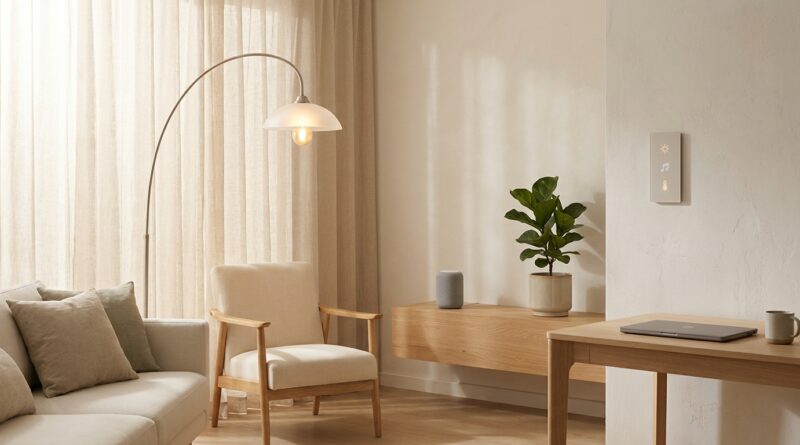
The 5‑Pillar Quiet-Tech Home: A Minimalist Way To Tame Smart Devices Without Killing Your Productivity
You bought smart gear to save time, not to feel like your house became an overcaffeinated coworker. Yet that is where a lot of people end up. Lights that change color for no reason. Speakers that chime. Robot vacuums that beg for attention. Doorbells that treat every squirrel like a crisis. If your home feels busy even when you are trying to rest, you are not lazy or bad at tech. You are dealing with too many tiny interruptions. That is what makes minimalist smart home productivity worth talking about. The goal is not to rip out every gadget and live like it is 1998. It is to make your devices quieter, more predictable, and easier to ignore until they are actually useful. Think of it as setting better house rules for your tech. Once you do, your home can still be smart without acting like it needs constant applause.
⚡ In a Hurry? Key Takeaways
- A quiet tech home starts with fewer alerts, simpler defaults, and clear no-tech zones, not more apps.
- Pick one room this week and prune notifications, dim visual clutter, and set one reliable routine you do not have to think about.
- You do not need new hardware or a subscription. Most fixes live inside settings you already have.
What a quiet tech home actually means
A quiet tech home is not anti-tech. It is anti-friction.
The idea is simple. Your devices should fade into the background until you need them. A smart light should quietly turn on when it helps. A voice assistant should answer when asked, then stop talking. A security camera should tell you about a real issue, not every leaf that blows past the porch.
That is the heart of minimalist smart home productivity. You keep the useful parts. You cut the chatter, the glow, the pings, and the constant low-grade decision making.
The 5 pillars of a quiet-tech home
1. Notification pruning
This is the fastest win, and for most homes it is the biggest one.
Open every smart home app you use. Lights, speakers, cameras, plugs, thermostats, robot vacuums, appliances. Then ask one question for each alert. Would I want this message if I were asleep, working, or eating dinner?
If the answer is no, turn it off.
Keep alerts for things that matter, like water leak sensors, smoke alarms, door locks, or true security events. Cut the rest. Software updates can wait. Weekly usage reports can wait. “Helpful” tips can definitely wait.
A good rule is this. If the alert does not change what you do in the next five minutes, it probably does not deserve to interrupt you.
2. Room-by-room defaults
Most smart homes get stressful because every room tries to do too much.
Instead, give each room one clear job.
The bedroom should support sleep. That means warm lights, quiet charging, no loud assistant responses, and as few glowing screens as possible.
The kitchen should support routine. Simple timers, maybe music, maybe a display if you truly use it.
The living room should support relaxing. Fewer status lights. Fewer remotes. One or two scenes you actually use.
The office should support focus. No random speaker announcements. No visible tablet nagging you about updates.
This cuts down on micro decisions. You stop asking, “What setting should this be on?” because the room already has a default.
3. Low-stimulation visual design
Some tech is loud without making a sound.
Bright LEDs, busy dashboards, rainbow light strips left on all evening, widgets everywhere, wires in plain sight. All of that keeps part of your brain on alert.
Try these quick fixes:
- Dim or cover status LEDs when possible.
- Switch harsh white bulbs to warmer tones in the evening.
- Remove smart displays from bedrooms.
- Hide charging clutter in a basket or drawer.
- Delete home screen widgets you never use.
This is not about making your home look like a design magazine. It is about reducing visual noise so your brain is not processing ten little signals every time you walk into a room.
4. Intentional offline zones
Every home needs at least one place where technology is not trying to start a conversation.
Maybe it is the dining table. Maybe it is one reading chair. Maybe it is the bedroom after 10 p.m. The point is to create a patch of silence where no device expects your attention.
This works especially well if your days already feel crowded. If you liked the idea of building recovery time into your schedule, you might also like The 5-Pillar Do-Nothing Block: A Minimalist Way To Fix Your Frazzled Focus Without Another App. The same idea applies here. Your mind needs moments where nothing is asking for input.
Offline zones are not punishment. They are pressure valves.
5. Quick-reset routines
The best smart homes have routines that reduce thinking, not routines that show off.
You do not need fifty automations. You need three or four that reliably lower friction.
Start with these:
- Morning reset: Open blinds or lights, silence sleep mode, start coffee if you already have the gear.
- Work mode: Focus lighting, mute announcements, turn on one playlist or white noise source.
- Evening wind-down: Warm lights, lower volume, lock doors, stop nonessential alerts.
- Away mode: Arm security, turn off unused lights, pause distracting indoor notifications.
If a routine takes constant fixing, it is too complicated. A quiet-tech routine should feel boring in the best way. You trust it, then forget about it.
How to start without spending money
You can do most of this in an hour.
Start with your phone
Your phone is usually the control center for all the other noise. Clean it up first. Remove smart home apps from your main screen if you rarely need them. Turn off badges for nonessential apps. Put your home controls in one folder instead of scattering them everywhere.
Then pick one room
Do not try to redo the whole house in one weekend. Pick the room that annoys you most. For a lot of people, that is the bedroom or office.
Ask three questions:
- What makes noise here?
- What glows here?
- What interrupts me here?
Fix those first. You will feel the difference quickly, and that momentum matters.
Finally, keep only the smart features you actually use
This part is important. A lot of people keep bad smart-home features simply because they paid for them. Ignore that urge. If voice control feels slower than a switch, use the switch. If your smart fridge sends pointless alerts, mute them. If a gadget adds one more app but saves no real effort, it might not deserve shelf space.
Common mistakes that make a smart home feel louder
Too many assistants
If every room has a speaker, every room can interrupt you. Fewer devices often means more peace.
Automation without a clear purpose
Fancy automations are fun until they create confusion. If your lights keep guessing wrong, the problem is not you. The setup is too clever for its own good.
Using color and sound as default feedback
A gentle light change can be useful. Constant flashing is not. Spoken confirmations are often unnecessary too. If the command worked, you do not need your house to congratulate itself.
Treating every event like urgent news
Most smart homes are terrible at urgency. They notify you about everything because it is easier for the app maker. Your job is to set a higher bar.
What this looks like in real life
Imagine walking into your home after work.
The entry light comes on softly. Not blue. Not bright white. Just enough. Your phone is not buzzing with six gadget alerts. The living room has one calm lighting scene. The speaker does not announce package updates. The bedroom has no glowing screen waiting to hook your attention. At night, only true emergencies break through.
That is productivity too.
Not the loud, hustle kind. The kind where your attention stays intact longer, your evenings feel like evenings, and your sleep has a fighting chance.
At a Glance: Comparison
| Feature/Aspect | Details | Verdict |
|---|---|---|
| Notification settings | Keep only urgent alerts like safety, locks, or true security events. Mute tips, promos, and routine status messages. | Highest impact, easiest fix |
| Room-by-room defaults | Assign each space a simple purpose such as sleep, focus, cooking, or relaxing, then match device behavior to that purpose. | Reduces daily decision fatigue |
| Offline zones and reset routines | Create one tech-light area and a few simple automations for morning, work, evening, and away time. | Best for protecting focus and rest |
Conclusion
A calmer home does not come from buying one more gadget that promises to organize the rest. It comes from making the tech you already own quieter, simpler, and less needy. That is why minimalist smart home productivity matters right now. So much advice is about adding tools, when the real problem is how our homes and devices feel to live with every day. A quiet tech home gives you something practical to do this week. Prune notifications. Set room-by-room defaults. Lower visual stimulation. create offline zones. Build quick-reset routines that protect focus, sleep, and real downtime without paying for another subscription. In the middle of AI everything and smart-everything, that is a very human upgrade. Less friction. Less stuff. More calm.