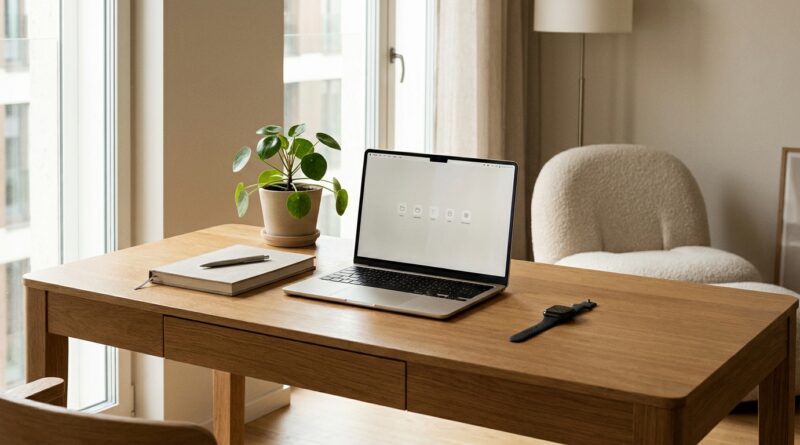
The 5‑Pillar Quiet Tech Life: A Minimalist Way To Let Your Devices Support You Instead Of Run You
You did the hard part already. You cleaned the closet, simplified the kitchen drawer, maybe even donated the cable box graveyard in the hall closet. But your digital life still feels noisy. Your phone lights up for no good reason. Your watch taps your wrist like an impatient toddler. Your laptop saves, syncs, suggests, reminds, and interrupts all day long. It is exhausting, especially because so much of it is sold as “helpful.” If you feel wired and oddly unproductive despite owning smarter gadgets than ever, you are not failing. Your setup is. A good minimalist quiet tech productivity routine is not about throwing every device away. It is about making your devices quieter, fewer, and more intentional, so they support your work, sleep, and attention instead of nibbling at them all day.
⚡ In a Hurry? Key Takeaways
- A quiet tech life works best when you trim five areas at once: wearables, home screens, notifications, auto-features, and extra gadgets.
- Start with one 20-minute reset today. Turn off non-human notifications, clean your first phone screen, and remove one device you rarely use.
- You do not need a full digital detox. A leaner setup often protects focus, sleep, and deep work better than buying newer “smarter” gear.
Why “smart” tech can leave you feeling scattered
Most people do not have a discipline problem. They have a constant-interruption problem.
Modern devices are designed to be busy. They track, prompt, suggest, summarize, celebrate streaks, and ask for updates. None of these things sounds terrible on its own. Together, they create a low-grade mental hum that never really stops.
That hum matters. It chips away at the kind of attention you need for writing, planning, solving problems, reading deeply, or even relaxing properly at night. You may look productive because you are touching your devices all day. But a lot of that energy is getting spent on tiny digital chores.
That is why minimal tech is catching on in 2026. People are finally noticing that more features are not fixing fatigue. In many cases, they are causing it.
The 5-pillar quiet-tech reset
Think of this as a home edit for your digital life. You are not rejecting technology. You are giving every device a simpler job.
1. Tame wearables so they stop running commentary on your day
Smartwatches and fitness bands can be useful. They can also become tiny managers strapped to your body.
If your wrist buzzes for every text, stand reminder, “insight,” badge, or app alert, your nervous system never fully settles. That is not wellness. That is surveillance with nice fonts.
Try this:
- Keep health alerts you truly care about, like heart rate warnings or medication reminders.
- Turn off social, shopping, news, and “engagement” nudges.
- Disable celebratory animations and idle prompts if your device allows it.
- Consider wearing it only for workouts, walks, or sleep tracking, not all day.
The rule is simple. Your wearable should report, not chat.
2. Quiet your home screen so your phone stops pitching ideas at you
Your home screen is not neutral. It is a menu of temptations.
If the first thing you see is a wall of bright icons, badges, and widgets fighting for attention, your brain starts hopping before your day even begins. A quieter phone usually starts with a boring first screen. That is a compliment.
Build a first screen with only tools you use on purpose:
- Phone
- Messages
- Calendar
- Maps
- Notes
- Camera
Everything else can go to page two, a folder, the app library, or off the phone entirely.
If this idea clicks with you, the habits pair nicely with The 5‑Toggle Tech Day: A Minimalist Way To Stop Letting Your Devices Drain Your Focus, which breaks down small setting changes that reduce attention drain fast.
3. Cut notifications until only people and true time-sensitive tasks remain
This is the pillar that gives the biggest payoff quickest.
Most notifications are not urgent. They are just successful attempts to get back into your head. Sales alerts, app updates, suggested memories, trending stories, new feature announcements, “someone posted,” “someone liked,” “you missed,” and “complete your profile” can all go.
A good filter is this:
- Keep: direct messages from important people, calendar alerts, delivery updates you actually need that day, security alerts, and maybe banking notifications.
- Turn off: marketing, social reactions, game reminders, shopping apps, news flashes, and productivity apps that nag you about being productive.
You do not need your phone to act like a casino floor. You need it to pass along the few things that matter.
4. Review auto-saves, auto-syncs, and smart features that quietly create clutter
This is the less obvious pillar, but it matters.
A lot of digital stress does not come from alerts. It comes from buildup. Screenshots backed up forever. Ten versions of the same note. Every photo auto-enhanced and auto-shared across three devices. Browser tabs restored from last month like digital leftovers.
Helpful automation can turn into silent mess.
Do a quick check on these settings:
- Photo auto-backup for screenshots and downloads folders
- Cloud sync for apps you barely use
- Auto-save duplicates in document apps
- Browser reopen-all-tabs on startup
- Smart suggestions that keep surfacing old files, habits, and apps
You want automation that reduces effort, not automation that multiplies digital stuff you later have to manage.
5. Audit your “must-have” gadgets and give each one a job
Sometimes the noisiest part of your setup is not one device. It is the whole pile.
A tablet, e-reader, smartwatch, earbuds, laptop, desktop, backup phone, sleep tracker, smart speaker, and a handful of charging accessories can create more friction than freedom if their jobs overlap. Every extra gadget comes with updates, cables, accounts, settings, and maintenance.
Ask three questions about each device:
- What is its one clear job?
- Does another device already do that well enough?
- Do I use it often enough to justify the mental overhead?
You do not need the perfect stack. You need a calm one.
How to build a minimalist quiet tech productivity routine in one afternoon
Step 1. Do a 20-minute notification sweep
Open notification settings on your phone. Turn off anything that is not from a person, a deadline, money, travel, or security.
Step 2. Simplify your first screen
Remove every app that invites wandering. Keep only tools. No badge counts if you can help it.
Step 3. Put your wearable on a leash
Disable wrist buzzes except for a very short list. If you feel relief right away, that tells you something.
Step 4. Delete one redundant app and unplug one underused gadget
Not five. Not twenty. One of each. This keeps the reset realistic.
Step 5. Create one quiet block every day
Pick a 60 to 90 minute stretch where your devices stop interrupting you. Focus mode on. Phone face down or in another room. Watch muted. Laptop tabs trimmed. This is where the best work usually happens.
What quiet tech is not
It is not anti-tech.
It is not a purity contest.
It is not moving to a cabin and printing your boarding pass at the library.
Quiet tech means your tools serve a purpose without constantly asking for your attention. You still get the benefits of maps, cloud backups, messaging, health tracking, and music. You just stop letting every feature audition for a role in your day.
Signs your reset is working
- You check your phone with intent, not by reflex.
- Your watch feels useful again, not needy.
- Your laptop opens to work, not digital cleanup.
- You can read or think for longer without feeling twitchy.
- You end the day less stimulated and more satisfied.
That last one is the big clue. Quiet tech does not just save time. It changes the texture of your day.
At a Glance: Comparison
| Feature/Aspect | Details | Verdict |
|---|---|---|
| Wearables and alerts | Keep health and true priority alerts. Turn off social, streak, and promo buzzes. | High impact, easy win |
| Home screen and app layout | First screen should hold only core tools. Move distraction apps out of sight. | Best for reducing mindless checking |
| Extra gadgets and auto-features | Remove overlap, review sync settings, and stop unnecessary digital buildup. | Best for long-term calm and less upkeep |
Conclusion
The point of a quiet-tech reset is not to own less for the sake of it. It is to think better, sleep better, and get your attention back. Minimal tech is exploding as a 2026 lifestyle trend because people are finally admitting that more features are not fixing their fatigue. In many cases, the opposite is true. The most ambitious, creative work gets squeezed by constant micro-distractions. A simple 5-pillar quiet-tech reset gives the 5J community something practical to do right now: tame wearables, home screens, notifications, auto-saves, and “must-have” gadgets into one lean ecosystem that protects focus, sleep, and deep thinking without a full digital detox. Start small. Quiet one device today. You will feel the difference faster than you think.