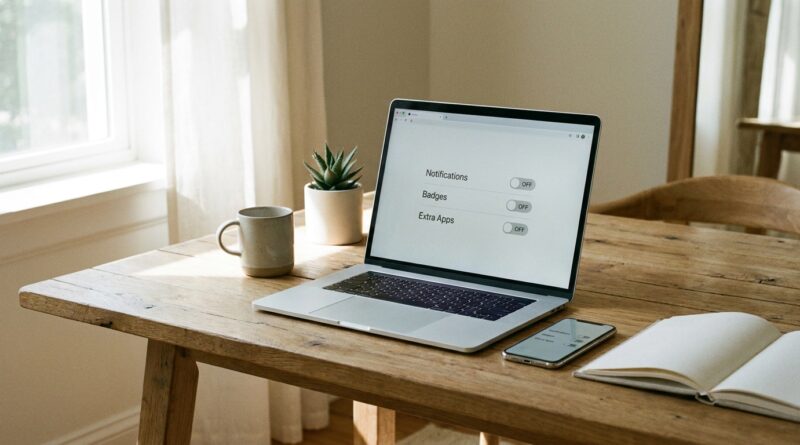
The 5‑Toggle Tech Day: A Minimalist Way To Stop Letting Your Devices Drain Your Focus
You are not imagining it. You can have a clean desk, a color-coded calendar and a solid to-do list, then still end up scattered before lunch because your devices keep poking holes in your attention. A badge count here, a buzzing watch there, 27 tabs you swear you still need. By 3pm, your brain feels busy but not useful. That is the real problem. It is not always a lack of discipline. Often, it is too many tiny interruptions stacked on top of each other.
A minimalist tech detox for productivity does not mean throwing out your phone or installing yet another system that becomes a part-time job. It means flipping a few smart switches on the devices you already own so they stop acting like needy coworkers. I call it the 5-Toggle Tech Day. It takes about fifteen minutes to set up, and it can make your laptop and phone feel calmer, quieter and much easier to work with.
⚡ In a Hurry? Key Takeaways
- Use five simple settings changes to cut distractions without buying new apps or devices.
- Start with notifications, tabs, background apps, home screen clutter and focus mode scheduling.
- This is low-risk, easy to reverse and usually helps you feel less wired and more productive the same day.
Why your tech feels “busy” even when you are trying to focus
Most of us do not get derailed by one giant interruption. We get worn down by dozens of tiny ones. A message preview. An email chime. A browser tab flashing. A cloud app syncing in the background. None of these feel dramatic on their own, but together they train your brain to stay half-alert all day.
That is why a minimalist tech detox for productivity works so well. You are not trying to become a monk. You are just removing the little hooks that keep pulling your mind away from the thing you meant to do.
The 5-Toggle Tech Day
Think of this as a morning reset for your digital environment. Five switches. A calmer workday.
1. Toggle off non-human notifications
Start here because it gives you the fastest win.
Keep alerts from real people if you need them. Turn off alerts from systems, promos, reminders you never asked for, app “tips,” social likes, shopping updates and news flashes. If a notification is not from a human who needs an answer, it probably does not deserve front-row access to your brain.
On your phone, go into Notifications and be ruthless. On your computer, do the same for Slack channels, email desktop alerts and browser pop-ups. You can still check these things later. The point is to stop them barging in.
A good rule is this. If the notification does not change what you need to do in the next hour, turn it off.
2. Toggle your browser into “one window, one job” mode
Open tabs are sneaky. They feel like preparation, but they often create mental drag. Every tab is a tiny unfinished thought.
Try this. Keep one active work window open. Put research tabs into a reading list, bookmarks folder or tab group called “Later.” If your browser has a feature to save tab groups, use it. If not, just bookmark the lot and close them.
You do not need 18 tabs visible to remember you are working on taxes, comparing headphones and half-reading an article about sourdough.
If you worry about losing something important, save it first, then shut it. You are not deleting your life. You are removing visual noise.
3. Toggle off background apps you are not using
This one is less obvious, but it matters. Background apps do two annoying things. They consume system resources, and they keep whispering for your attention with sync badges, update prompts and random mini alerts.
On a Mac, check Login Items and background permissions. On Windows, look at Startup apps and the system tray. On phones, review background app refresh.
Ask one plain question. “Do I need this running right now?”
If the answer is no, quit it, disable it at startup or limit its background activity. Your device often feels snappier, and your mind gets fewer little taps on the shoulder.
4. Toggle your home screen to essentials only
Your home screen should not look like a digital candy aisle.
Move the high-temptation apps off the first screen. Keep the tools you use for work or daily life up front. Calendar. Notes. Messages. Maps. Camera. Maybe your music app. Everything else can live in the app library, a folder or the second page.
This is not about willpower. It is about friction. If social media or shopping apps are one swipe and one search away instead of sitting in your face all day, you will usually open them less.
Many people feel an instant drop in stress after this change because the phone stops looking like a slot machine.
5. Toggle on Focus or Do Not Disturb on a schedule
Do not wait until you are already overwhelmed. Schedule quiet time before the noise starts.
Set one or two focus blocks during the day. Even 45 to 90 minutes is enough. Allow calls from key people if needed. Let everything else wait.
The big advantage here is consistency. You are not making the decision fresh every day while already distracted. Your device simply shifts into a quieter mode at the times when you want to do real work.
This may be the most useful part of a minimalist tech detox for productivity because it turns focus from a hope into a default.
How to do the full reset in under fifteen minutes
If you want a quick routine, do it in this order:
Minute 1 to 3: Silence the junk
Turn off non-essential notifications on your phone and computer.
Minute 4 to 6: Close and save tabs
Keep only what you need for the current task. Save the rest somewhere safe.
Minute 7 to 9: Quit background clutter
Close extra apps. Disable startup items you never use.
Minute 10 to 12: Clean the home screen
Keep essentials visible. Hide distractions.
Minute 13 to 15: Schedule focus time
Set one quiet block for today and repeat it on weekdays if it works.
That is it. No new subscription. No complicated workflow chart. No guilt spiral.
What to expect after a week
Do not expect magical enlightenment. Do expect fewer attention fractures.
Most people notice three things first. They reach for the phone less. They feel less “switched on” in an anxious way. And they finish more before lunchtime because they are not constantly recovering from interruptions.
You may also notice that some apps were pretending to be urgent when they were really just noisy. That is useful information. Your settings start to show you what actually deserves access to you.
What this is not
This is not a vow to become unreachable. It is not anti-tech. And it is not a purity contest where the goal is to live with a blank screen and a rotary phone.
This is simply a better relationship with the tools you already own. Your devices should support your day, not steer it.
At a Glance: Comparison
| Feature/Aspect | Details | Verdict |
|---|---|---|
| Time required | About 15 minutes to set up the five toggles on your phone and computer | Fast enough to do today |
| Cost | Uses built-in settings like notifications, focus modes and startup controls | Free and practical |
| Impact on focus | Reduces pings, visual clutter and background interruptions that chip away at attention | High value for very little effort |
Conclusion
Right now, a lot of people are tired of bloated productivity tools and over-featured apps that promise calm but add more stuff to manage. The good news is you do not need a new system to feel better. You need a quieter one. This five-switch ritual is a simple minimalist tech detox for productivity that you can apply today using the hardware already on your desk and in your pocket. In under fifteen minutes, you can reclaim some focus, lower that low-grade digital stress and give yourself a better shot at real deep work. Small switches. Big relief.