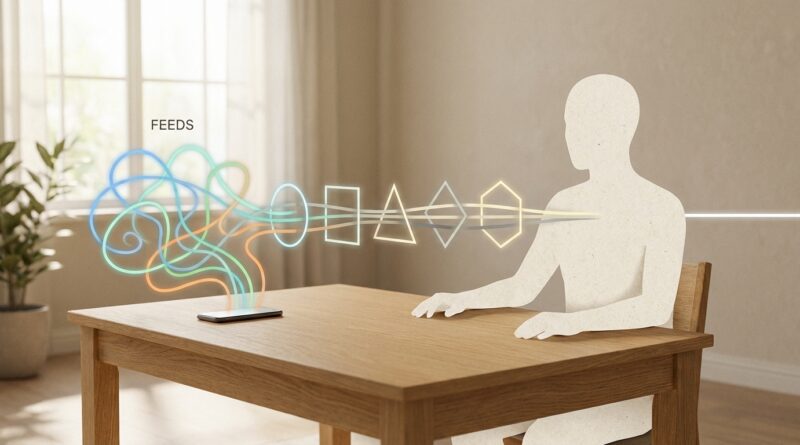
The 5‑Filter Feed: A Minimalist Way To Protect Your Brain From Algorithm Overload
You open one app to check a message. Then a reel catches your eye. Then a comment thread. Then some stranger is arguing about something you did not care about five minutes ago. Forty minutes vanish. Your brain feels noisy, your work feels heavier, and somehow you are more tired than entertained. If that sounds familiar, you are not lazy or weak. You are using tools built to keep your attention in motion. That is why many “fixes” fail. They pile on rules, blockers, trackers, and guilt until managing your digital life feels like a second job. A better option is simpler. The 5-Filter Feed is a minimalist digital minimalism productivity system that helps you decide what gets into your brain before an app decides for you. You do not need to quit the internet. You just need a few plain filters that make your feed serve your life, not eat it.
⚡ In a Hurry? Key Takeaways
- The 5-Filter Feed helps you cut algorithm overload by screening content before it reaches your attention.
- Start with one change today: remove your most distracting app from your home screen and check it only at set times.
- This is not about deleting every app. It is about protecting focus, mood, and energy with simple limits you can actually keep.
Why feeds feel worse than simple screen time
Most people think the problem is “too much phone time.” That is only part of it.
The bigger issue is algorithm time. That is the time you did not mean to spend. Time handed over to systems designed to keep you scrolling, tapping, refreshing, and reacting. It is not just that you are online. It is that your mind stays in a constant state of almost-paying-attention.
That kind of attention is expensive. It breaks up deep work. It makes rest feel thin. It leaves you overstimulated and oddly unsatisfied.
If you have already tried app timers and failed, that does not mean you lack discipline. It often means the system was too fussy. Good boundaries need to be simple enough to use when you are tired. That is also why frameworks like The 5‑Boundary Day: A Minimalist Lifestyle Framework To Protect Your Time, Energy And Attention connect with so many people. They reduce friction instead of adding more.
What is the 5-Filter Feed?
The 5-Filter Feed is a minimalist digital minimalism productivity system made of five quick checks. Before you follow, keep, open, or return to a feed, you run it through these filters:
1. Purpose filter
Ask one question. Why am I opening this?
Not the polite answer. The real one. Am I here to message a friend, post something, learn one specific thing, or just avoid a hard task?
If you cannot name the purpose in one sentence, the feed is probably about to choose one for you.
Try this: before opening an app, say the reason out loud. “I am checking the event time.” “I am replying to Sam.” “I am posting one update.” That tiny pause is often enough to stop the drift.
2. Source filter
Who is filling this feed?
Not all content drains you the same way. Some accounts teach, calm, or genuinely connect. Others keep you agitated, envious, distracted, or angry because those feelings hold attention.
Go through the people and pages you see most. Unfollow, mute, or hide anything that regularly leaves you worse than it found you. This is not rude. It is maintenance.
Your feed is not a public park. It is closer to your kitchen. You get to decide what comes in.
3. Friction filter
How easy is it for me to fall in?
The more frictionless the app, the more likely you are to use it on autopilot. Home screen placement matters. Notifications matter. Login convenience matters. So do browser tabs that are always sitting there, waiting.
Add a little healthy inconvenience. Move high-drain apps off the home screen. Turn off non-human notifications. Log out after use. Use the web version instead of the app if it feels clunkier. That is the point.
You are not trying to make access impossible. You are trying to make mindless use less automatic.
4. Time filter
When do I let feeds into my day?
This part changes everything. Feeds are most costly when they invade your best hours. For many people, that means first thing in the morning, during focused work blocks, and late at night when the brain is already tired.
Pick two or three windows for feed checking. Example:
Lunch. Late afternoon. Early evening.
That is enough for most casual apps. If you need one for work, separate it from entertainment apps so your brain does not mix “I need to do my job” with “let me just scroll for a bit.”
5. Aftertaste filter
How do I feel after using this?
This is the most underrated filter. Some online habits look harmless because they are common. But your body often tells the truth faster than your logic does.
After ten minutes on a feed, do you feel clearer, informed, connected, and done? Or scattered, tense, numb, and hungry for more?
If the aftertaste is bad, the content is costing more than it is giving. You do not need a research paper to prove it. You can trust the pattern.
How to set this up in 15 minutes
Step 1: Pick your top three problem feeds
Do not overhaul everything at once. Choose the apps or sites where time disappears fastest.
Step 2: Write a purpose for each one
Examples:
Instagram: message friends and post updates.
YouTube: watch saved tutorials only.
X or Reddit: check one topic for 10 minutes.
Step 3: Clean the sources
Mute noise. Unfollow bait. Keep the people and topics that actually matter.
Step 4: Add friction
Remove the app icon. Disable badges. Log out. Put a timer on the browser if needed. Make it just annoying enough to interrupt impulse.
Step 5: Set check-in windows
Choose times that do the least damage to your attention. Protect the first hour of your day if you can. That one move alone helps a lot of people feel more in control.
What this looks like in real life
Let’s say you keep opening TikTok or Instagram for “one second” between tasks. With the 5-Filter Feed, the setup might look like this:
Purpose: reply to messages and post one story.
Source: mute accounts that trigger comparison or outrage.
Friction: app removed from home screen.
Time: check only at 1 p.m. and 6 p.m.
Aftertaste: if you feel flat after using it three days in a row, cut your check-in window in half.
That is not extreme. It is sane.
What this system is not
It is not a purity contest.
It is not “delete all social media and live in a cabin.” It is not another elaborate habit stack you abandon in a week. And it is not about judging yourself for liking funny videos or wanting a break.
The goal is to stop feeds from stealing the exact kind of attention you need for work, relationships, and actual rest.
If a tool helps you connect, learn, or unwind on purpose, great. Keep it. If it keeps turning your brain into a pinball machine, filter it.
Common mistakes people make
Trying to rely on willpower alone
Willpower is useful. It is also unreliable when you are stressed, bored, lonely, or tired. Change the environment first.
Keeping “just in case” follows
If an account was useful once a year ago, that does not mean it deserves daily space in your head now.
Checking feeds before doing one important task
This is like starting the day by shaking your desk drawers and hoping your papers stay neat.
Making the plan too strict
If your system feels like punishment, you will stop using it. Aim for better, not perfect.
At a Glance: Comparison
| Feature/Aspect | Details | Verdict |
|---|---|---|
| Ease of use | Five simple checks. No complicated app stack required. | Easy to start and easier to keep. |
| Impact on productivity | Cuts random feed use during high-focus hours and reduces attention switching. | Strong payoff for very little effort. |
| Lifestyle fit | Lets you keep useful apps while setting clear limits around them. | Practical for normal people, not just digital purists. |
Conclusion
The most shared productivity advice right now keeps circling the same truth. The habits that quietly wreck your growth are often the ones that look harmless. A quick check. A short scroll. A tiny break. But the real cost is not just screen time. It is algorithm time, the hours broken into little pieces by feeds designed to keep you distracted instead of focused or truly rested. The 5-Filter Feed gives you a cleaner way to push back. You do not have to live offline. You do not have to delete every app. You just need a few simple constraints that protect your best hours and make your attention harder to grab. That is why this approach works. It is minimalist, realistic, and kind to your actual life. Start with one feed today. Filter it. Then notice how much quieter your mind feels when your phone stops deciding what gets your attention next.