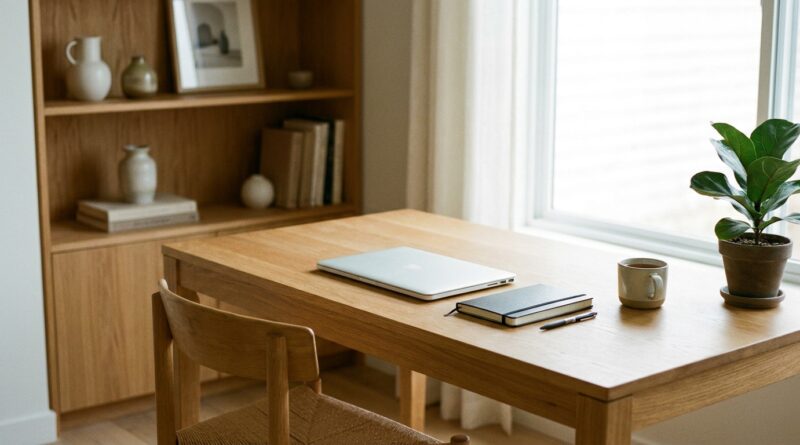
The 5‑Pillar One‑Screen Workday: A Minimalist Way To Get More Done By Closing Every Extra Window In Your Life
You are not lazy. You are overloaded. When your day starts with Slack pings, 27 browser tabs, two email accounts, a notes app, and a calendar screaming for attention, your brain spends half its energy just deciding where to look next. That is why small tasks can feel weirdly heavy. By midafternoon, you are tired, twitchy, and somehow still behind. A one screen minimalist productivity system is a simple fix for a very modern problem. Instead of trying to manage everything at once, you give yourself one active workspace, one main task, and a small set of rules for what gets seen now versus later. It is not fancy. It is not a guru routine. It is just a calmer way to work that cuts down on digital noise, helps you finish more of what matters, and makes the day feel less like mental pinball.
⚡ In a Hurry? Key Takeaways
- A one screen minimalist productivity system means one visible work area at a time, with everything else hidden, paused, or scheduled.
- Start by choosing one task window, one communication check time, and one capture spot for loose thoughts.
- You do not need new apps or a stricter personality. This works best when it is simple enough to keep using on an ordinary Tuesday.
Why too many windows make simple work feel hard
Most people think they have a time problem. Often, they have an attention problem.
Every open tab is a tiny unfinished promise. Every red badge is a question your brain wants answered. Every app switch asks you to reload context. That does not sound dramatic, but it adds up fast. You read an email, jump into Slack, remember a task in Notion, check a date on your calendar, and then forget what you were doing in the first place.
This is why busy and productive are not the same thing. Busy often means your attention is being pulled apart in six directions at once.
A one screen workday is about reducing those pulls. Not forever. Just for the block of time you are trying to do real work.
What the 5 pillars are
The idea is simple. Your workday runs better when each part of your digital life has a job and a boundary. These five pillars create that boundary.
1. One active task screen
This is the heart of the system. One screen, one main task, one visible work area.
If you are writing, the writing app is open full screen. If you are doing expenses, the spreadsheet gets the screen. Not your inbox. Not a side browser full of shopping tabs. Just the thing you are doing now.
You can still use other tools. The point is that they do not sit in front of you all day asking for attention.
2. One communication lane
Most people do not need live access to every message source every minute. They just got used to it.
Pick one communication lane to monitor during work blocks, or better yet, monitor none and check at set times. For many jobs, that means Slack and email do not stay open side by side all day. They get checked at 10:30, 1:00, and 4:00, or whatever fits your role.
If your work truly needs rapid replies, keep one channel available and mute the rest. One lane. Not five.
3. One capture spot
Your brain loves to interrupt itself with reminders. Send invoice. Reply to Jen. Look up that software thing later.
Do not chase each thought the moment it appears. Give it a parking spot. A notes app, a paper pad, or a plain text file is enough. The key is that every loose thought goes to the same place.
This lets you stay on task without trusting your memory to hold everything.
4. One daily priority list
If your to do list has 23 items on it, it is not a list. It is a guilt museum.
Choose one must-finish task, two should-do tasks, and a few nice-if-possible tasks. That is enough structure to guide the day without turning it into a punishment.
This approach fits well with the calmer style in The 5‑Pillar Lagom Workday: A Minimalist Way To Get More Done Without Burning Out, which focuses on doing enough, not doing everything.
5. One shutdown routine
The one screen workday works better when it has a clean ending.
Before you log off, close tabs, clear your desktop, write tomorrow’s first task, and leave yourself a short note about where to restart. This tiny habit stops tomorrow morning from beginning in confusion.
It also helps your brain stop carrying work around all evening.
How to set up a one screen minimalist productivity system tomorrow
You do not need to rebuild your whole digital life. Start small.
Step 1: Pick your main work blocks
Choose one or two parts of the day when you want focused work to happen. Even 45 minutes counts.
During those blocks, only one task gets the full screen.
Step 2: Close what you are not using
Yes, actually close it.
Minimized windows are still little mental hooks. If you are not using the app right now, quit it, hide it, or move it to another desktop. Keep your visual field boring on purpose.
Step 3: Turn off badges and non-human alerts
Most notifications are not urgent. They are just new.
Badges on mail, team chat, shopping apps, and random browser extensions are excellent at making you feel behind. Turn off what you can. Keep calls, calendar reminders, and truly important alerts.
Step 4: Make a simple communication schedule
Try checking messages at set points instead of constantly. You can even tell coworkers, “I check Slack at the top of each hour when I am heads-down on a project.”
People adjust faster than you think when your pattern is clear.
Step 5: Write tomorrow’s first screen before you finish today
This matters more than it sounds.
If tomorrow starts with uncertainty, you will drift back into checking everything. If tomorrow starts with “Open proposal draft and finish section two,” your day has a runway.
What this looks like in real life
Let us say you work from home and your morning usually looks like this: email open, Slack open, three Chrome windows, one personal tab rabbit hole, and a half-finished report somewhere in the mess.
With the one screen method, the morning changes.
From 9:00 to 10:00, the report is full screen. Slack is closed. Email is closed. Your phone is face down. If you think of something else, it goes into your capture note.
At 10:00, you check messages for 15 minutes. You reply, sort, and move on.
Then from 10:15 to 11:00, you are back to one task on one screen.
That is not rigid. It is just cleaner. And cleaner usually means easier to sustain.
Common worries, answered
“My job is too reactive for this.”
Maybe partly. But very few jobs require every app to remain open every second.
If you support customers or manage urgent requests, shorten your focus blocks. Use 20 or 30 minutes instead of an hour. The system still works. The goal is not perfect isolation. It is less chaos than before.
“I need multiple apps to do one task.”
That is normal. One screen does not mean one app forever. It means one task in view. If the task needs two windows, use only those two. Not those two plus inbox, chat, news, analytics, and six tabs you are “keeping for later.”
“I am afraid I will miss something.”
You might miss a few non-urgent pings for half an hour. That is usually fine.
What you gain is the ability to finish work without chopping your attention into confetti. For most people, that trade is worth it.
Why this works better than trying harder
Willpower is a shaky plan when your devices are built to interrupt you.
A better plan is to make the default environment quieter. Fewer open windows means fewer choices. Fewer choices means less decision fatigue. Less decision fatigue means you have more energy for the actual work.
That is why this system feels different. It is not asking you to become a new person. It is asking you to remove friction.
Small rules that make the system stick
If you want this to last more than a day, keep the rules plain.
Use browser tabs like groceries, not storage
If you are done with it, close it. If you need it later, bookmark it.
Keep one personal escape hatch
Do not pretend you will never check personal stuff. Give it a home and a time. Maybe lunch. Maybe 3:30. That reduces random peeking.
Make your desktop boring
A clean desktop is not about aesthetics. It lowers visual noise. The less your eyes trip over, the easier it is to settle in.
Review the capture list once or twice a day
If your capture spot becomes a junk drawer, it stops helping. Process it briefly. Add tasks, delete junk, move on.
At a Glance: Comparison
| Feature/Aspect | Details | Verdict |
|---|---|---|
| Attention load | One screen keeps only the current task visible instead of making your brain monitor tabs, badges, and side apps all at once. | Big win for focus |
| Ease of setup | No new software required. You mainly need to close windows, mute alerts, and set check-in times for messages. | Easy to test tomorrow |
| Long-term sustainability | Works best because it cuts noise instead of adding another complicated routine to maintain. | More realistic than strict productivity hacks |
Conclusion
Right now, most people are not struggling with motivation. They are struggling with noise. That is why a one screen minimalist productivity system can feel so relieving. It does not ask you to wake up earlier, buy a planner, or become a perfectly optimized person. It just asks you to strip back the digital clutter that keeps stealing your attention. That shift is where simple living and modern productivity are meeting now. Less performance. More clarity. For normal humans with jobs, kids, and limited energy, a one screen workday is a practical pattern you can test tomorrow for free. Close a few windows. Hide the badges. Pick one task. You may be surprised how much calmer the day feels, and how many hours of clear attention quietly come back each week.