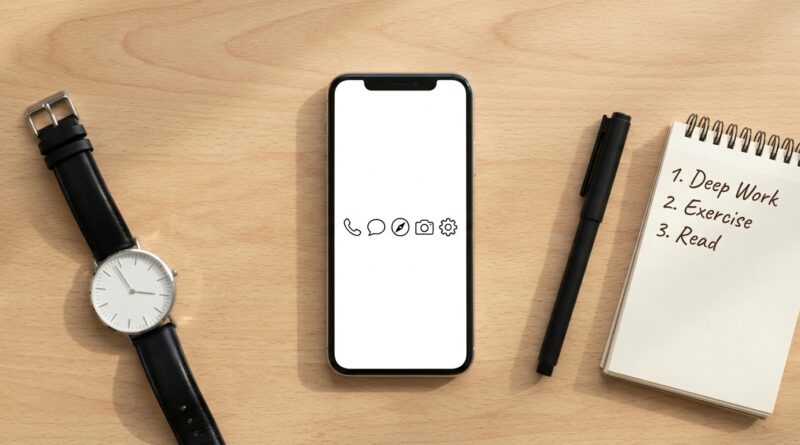
The 5‑App Phone: A Minimalist Home Screen That Quietly Doubles Your Daily Focus
You are not imagining it. A phone can feel “organized” and still eat your day. You tidy the folders, mute a few notifications, maybe even switch on Focus Mode, and somehow you still end up standing in the kitchen, thumb-deep in an app you did not even mean to open. That is the real problem. Most phones are built to invite one more tap, one more check, one more tiny detour. A minimalist phone setup is not about making your screen look clean for a screenshot. It is about making your phone boring enough to stop hijacking your attention. One of the simplest ways to do that is the five-app home screen. Keep only five truly useful apps on page one, move everything else off the stage, and turn your phone back into a tool instead of a slot machine. It is small. It is practical. And for a lot of people, it works faster than willpower ever does.
⚡ In a Hurry? Key Takeaways
- A five-app home screen cuts down mindless tapping by removing visual temptation from the first screen you see all day.
- Keep only your most practical daily tools on the home screen, such as phone, messages, maps, calendar, and camera.
- You are not deleting your favorite apps forever. You are adding a little friction so your attention stops leaking out in tiny pieces.
Why your home screen matters more than most settings
People often go hunting for the perfect digital wellness feature. App timers. Downtime. Notification summaries. Grayscale mode. Those can help. But they often fail for one simple reason. Your home screen is the front door.
If the first thing your brain sees is a row of bright, rewarding, easy-to-open apps, you will keep opening them. Not because you are weak. Because your phone is doing exactly what it was designed to do.
This is why a minimalist phone setup works best when it starts with layout, not lectures. You do not need a whole new personality. You need fewer invitations.
What the five-app phone actually is
The idea is simple. Your main home screen gets only five apps. Not five folders stuffed with other apps. Five actual apps.
Everything else moves off the first page. You can still keep those apps on your phone. You can still use search. You can still open them when you choose to. They just stop sitting in the middle of your day waving at you.
That small change creates friction. Good friction. The kind that gives your brain one extra second to ask, “Do I actually need this right now?”
The best five apps for most people
There is no perfect universal list, but the best choices are usually utility apps, not entertainment apps.
- Phone
- Messages
- Calendar
- Maps
- Camera
That setup covers communication, planning, navigation, and quick real-life tasks. In other words, things you use with intention.
What usually should not make the cut
Social media. News apps. Shopping apps. Games. Video apps. Email, in many cases. Yes, even email.
If an app tends to pull you in longer than you planned, it probably does not belong on the home screen. The test is simple. Does this app help me do a task, or does it try to become the task?
How this quietly doubles your focus
Not by magic. By reducing the number of times your attention gets split.
Think about how often you unlock your phone for one reason, then drift into three others. You check the weather, notice a badge on another app, open it, see a link, then ten minutes disappear. The cost is not just time. It is mental residue. Part of your attention stays stuck there even after you put the phone down.
When the home screen only shows a handful of practical tools, that chain reaction breaks more often. You open the phone. You do the thing. You close the phone.
That is a big reason the five-app approach pairs so well with broader habits like leaving more breathing room in your day. If you liked the idea behind The 5-Buffer Life: A Minimalist Way To Stop Rushing And Still Get More Done, this is the phone version of the same idea. Less crowding. Less friction in the wrong places. More room to think.
How to build your own minimalist phone setup today
Step 1: Pick your five before you move anything
Do this on purpose. Do not drag icons around while guessing.
Ask yourself these questions:
- Which apps solve real-world problems fast?
- Which apps do I open without regret?
- Which apps almost never turn into a 20-minute detour?
Your five may be different. Maybe you need Authenticator, Notes, or Music for work. Fine. The point is not to copy someone else. The point is to be honest.
Step 2: Clear the first screen completely
Yes, completely. Start with a blank page if you can.
Then add back only your chosen five. This works better than “removing a few apps,” because your eyes stop treating the screen like a buffet.
Step 3: Move distracting apps off page one
Put them on the second or third page, in the app library, or behind search. The farther they are from your thumb, the better.
You do not need to make access impossible. You only need to make it less automatic.
Step 4: Turn off badges for problem apps
Those little red dots are tiny anxiety machines. They create false urgency. For social, shopping, news, and most email apps, badges are often more distracting than useful.
Step 5: Give it seven days
The first day can feel strangely empty. Good. That means the old habit loop is losing its grip.
Use the setup for one full week before changing it. Otherwise you will keep “optimizing” instead of learning.
Common mistakes that make this fail
Keeping a giant widget full of distractions
If your home screen has only five apps but also a widget showing headlines, trending videos, or social updates, your phone is still doing the same old trick in a different outfit.
Choosing five apps you like, not five apps you need
Be careful here. Many people put music, YouTube, Reddit, Instagram, and Safari on the front page and call it minimalism. That is not a minimalist phone setup. That is just a smaller snack tray.
Making the phone annoying instead of useful
If you strip too much away, you may bounce back and rebuild the whole old layout by tomorrow. Keep the setup practical. You want friction for distractions, not for everyday life.
What if you still need distracting apps for work or family?
Then keep them. Just do not promote them.
A lot of people genuinely need Slack, Gmail, WhatsApp, or a social app for business. That is fine. The question is placement. If it is necessary but habit-forming, keep it off the main screen and decide when you open it.
This is not a purity contest. It is a design choice.
Extra tweaks if you want an even calmer phone
Use a plain wallpaper
Busy wallpapers make your icons feel more exciting than they are. A simple dark or neutral background helps your screen fade into the background.
Use one page if possible
The fewer places your thumb can wander, the better. One clean page can be surprisingly calming.
Keep search, lose the clutter
Search is your friend in a minimalist phone setup. It lets you keep useful apps installed without giving them permanent billboard space.
Review once a month
Not every day. Not every weekend. Monthly is enough. Otherwise “phone optimization” becomes its own hobby, which defeats the point.
At a Glance: Comparison
| Feature/Aspect | Details | Verdict |
|---|---|---|
| Home screen layout | Five intentional apps on page one, with distracting apps moved off-screen or into search. | Best low-effort change for reducing impulse opens. |
| Daily usability | Core tasks stay easy, while entertainment and habit apps require one extra step. | Good balance between convenience and control. |
| Focus impact | Fewer visual triggers means fewer accidental detours and less fragmented attention. | Quietly effective, especially over a full week. |
Conclusion
There is a big wave of interest in digital minimalism right now, but a lot of the advice is either too vague or too extreme. “Use your phone less” is not a system. A five-app framework is. It gives you something simple you can test today, without deleting your whole digital life or pretending modern phones are going away. If your phone has been acting more like a trap than a tool, this is one of the easiest resets you can try. Pick five useful apps. Clear the front page. Live with it for a week. You may be surprised how much screen time disappears when your main distraction device finally stops asking for attention every time you unlock it.